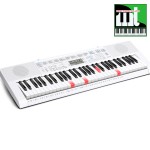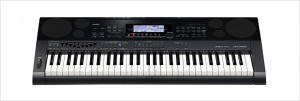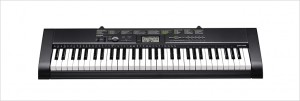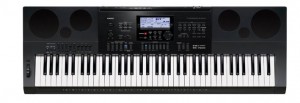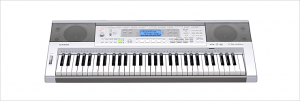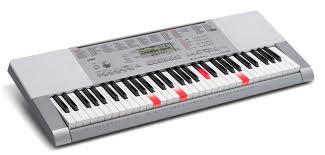


Improved tone quality and function! The total entertainment keyboards!
 |
Đặt hàng: 098.777.1527 hoặc Hotline: 098.777.1527 |
All built-in tones, including piano and acoustic instrument tones,
now sound better than ever before! 48-tone maximum polyphony
provides plenty of margin to minimize the chance of notes being dropped
when tones are layered and when playing with Auto Accompaniment.
An easy-to-play keyboard with an appearance resembling that of an acoustic piano.
Touch Response lets you add delicate nuances to notes by varying how much pressure you apply to keyboard keys.
Use effects to add reverb for more depth and breadth in your music.

You can use the Chord Book to look up chords you do not know how to play. You can hear what a chord sounds like and a simple operation even shows you inverted forms of the chord, making the Chord Book a valuable reference.
To master a song, it is best to break it up into short phrases, master each of the phrases, and then put everything together. Step Up Lesson does exactly that, providing you with the support you need to improve your play.

Your lesson score appears on the display screen.
If the keyboard senses you are having problems, it will help you by calling out finger numbers in a simulated human voice.
Built-in songs cover a wide range of genres for lesson play and for your listening enjoyment. Includes Exercise phrases!
* The Song Book does not include music for Exercise phrases. Due to copyright restrictions, some Song Bank tunes may not be included in the Song Book.
You can load songs from external sources and use them for listening, play along, or even lessons.
* Memory capacity is approximately 320KB, which is enough for up to 10 songs. Note that the actual number of songs that can be stored depends on the size of each individual song and other data stored in memory.
* Songs you add using Song Expansion can be used for Step Up Lessons, but fingering guide will not be displayed for such songs.

You can sample a sound from a microphone and then play the sound on the keyboard. You also can use sampled sounds to compose music. The sampling feature is a great way to create new sounds that are highly creative.

Play notes on the keyboard using the sampled sound!
If you sample the “Ting!” sound of a triangle, for example, you can then play notes with the sound on the keyboard. You even can add reverb, vibrato, and other effects to the sampled sound.
Incorporate a sampled sound into accompaniment patterns!
You can sample a favorite musical phrase or drum sound, and use the same to replace some Auto Accompaniment drum sets.
Connect a digital audio player, CD player, or other audio device and you can play along with music played through the keyboard’s speakers.

Sing along with built-in songs or songs loaded from outside sources.
Music Challenge tests your reaction speed by requiring you to press the keys indicated by the on-screen keyboard guide in time with the Auto Accompaniment tempo using the correct fingers indicated by the on-screen fingering guide.
A wide selection of musical instrument tones supports play of songs from various genres.
An advanced Auto Accompaniment feature provides you with access to a large collection of ethnic rhythms from around the world, with a special emphasis on Latin rhythms.
In addition to Bossa Nova, Samba, and other basic rhythms, you also get Cumbia, Reggaeton, Calypso, and more!
Selecting a Music Preset instantly changes the keyboard setup (tone, rhythm, tempo, etc.) so it is ideal for playing a specific song.
The selection of setups covers a wide range of musical genres.
Change the scale (temperament) of the keyboard quickly and easily to suit Oriental music or certain types of classical music.
A wealth of information is displayed to support your keyboard play.


You can use the recorder to record your keyboard play for later playback. You can record solos or you can record as you play along with a built-in song. Each song can be divided among multiple parts (for specific instruments, left hand-part, right-hand part, etc.) which are then combined into a final song, making the recorder a valuable practice tool. Recorded song data can be stored to an SD card or transferred to your computer for storage.
|
Keyboard
|
61 Piano-style keys
|
|---|---|
|
Touch Response
|
2 sensitivity levels, Off
|
|
Sound Source
|
AHL
|
|
Maximum Polyphony
|
48
|
|
Tones
|
600 built-in tones
|
|
Layer/Split
|
Layer, Sprit
|
|
Digital Effects
|
Reverb (10 types), Chorus (5 types)
|
|
Rhythms/Patterns
|
180 built-in rhythms
|
|
Auto Accompaniment
|
|
|
Built-in Songs
|
152 (Song Bank)
|
|
Song Expansion
|
10 songs maximum (up to 320KB total)
|
|
Lesson Function
|
|
|
Metronome
|
Beats: 0, 2, 3, 4, 5, 6 (Tempo range: quarter note = 30 to 255)
|
|
Recorder
|
6 tracks x 5 songs (performance recording), 1 song (lesson recording), approximately 12,000 notes total, real-time recording/playback
|
|
Sampling Function
|
|
|
Other Functions
|
|
|
Key Transpose
|
25 steps (-12 to +12 semitones)
|
|
Tuning Control
|
A4 = 415.5 to 465.9 Hz (Initial Default: 440.0 Hz)
|
|
Pedals
|
Standard jack (sustain, sostenuto, soft, rhythm)
|
|
SD Memory Card Slot
|
Supported SD memory card capacities: SD or SDHC memory card, Up to 32GB, SMF (Format 0/1)*, CASIO format song playback, recorded song/CASIO format song/sampled sound/user rhythm/user scale/registration save/load, recorded song SMF format save, card format, file delete
* Supports SMF Format 0 or Format 1 only for playback. |
|
MIDI
|
|
|
Speakers
|
12cm x 2
|
|
Amp Output
|
2.5W + 2.5W
|
|
Input/Output Terminals
|
|
|
Power Requirements
|
AC adaptor: AD-E95100L
|
|
Dimensions (W x D x H)
|
948 x 350 x 103 mm
|
|
Weight
|
4.5kg (Without batteries)
|
|
Body Color/Finish
|
Silver
|













 |
Mua hàng Online |
| 098.777.1527 | |